Pictures: FWX Control Center panel
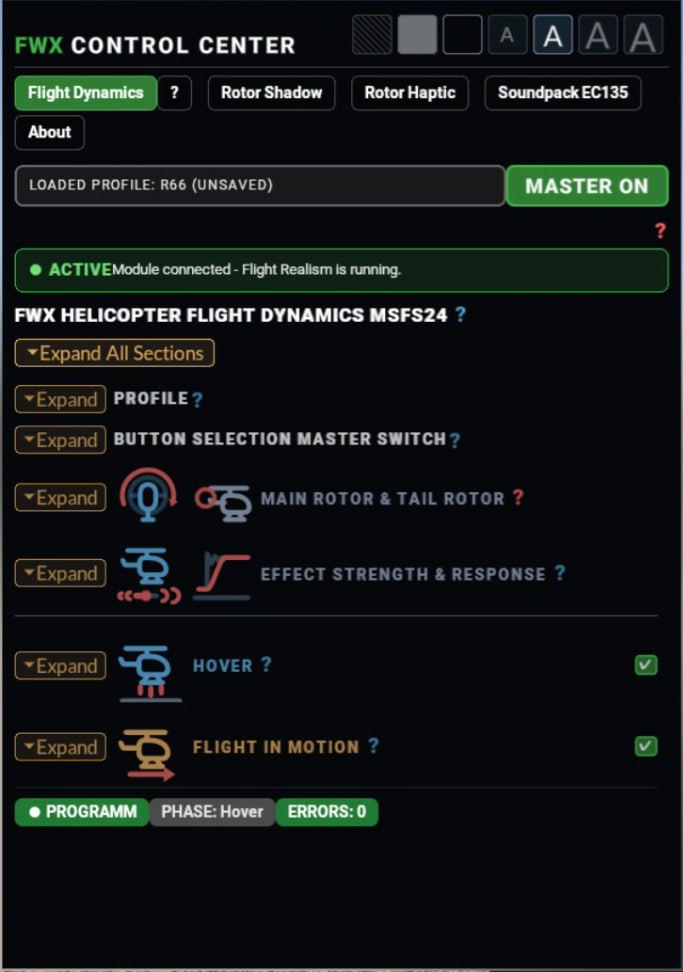
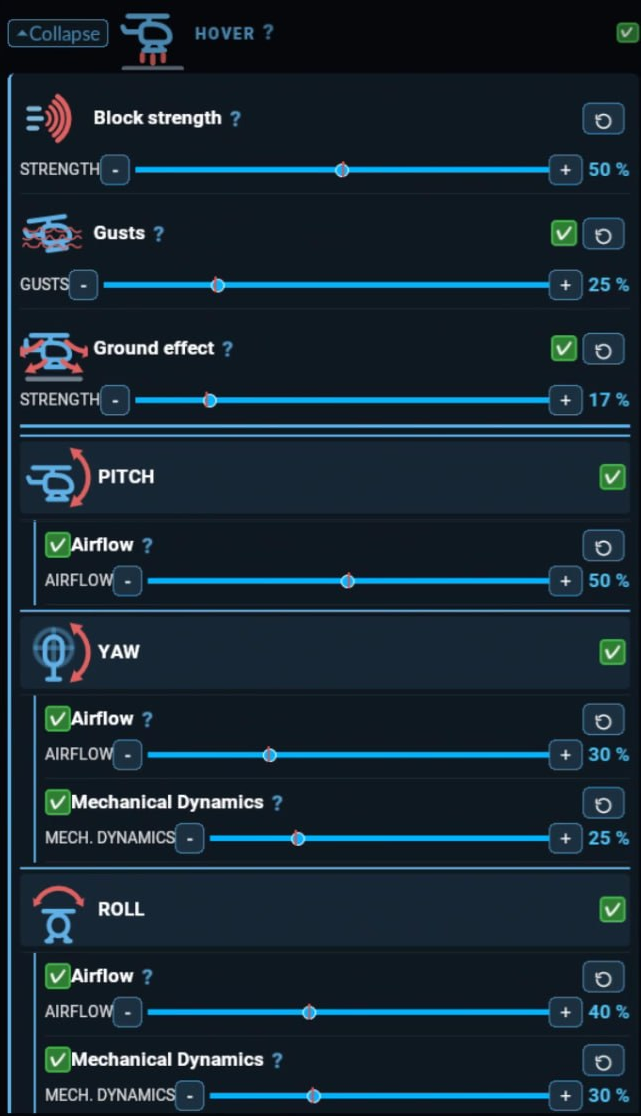
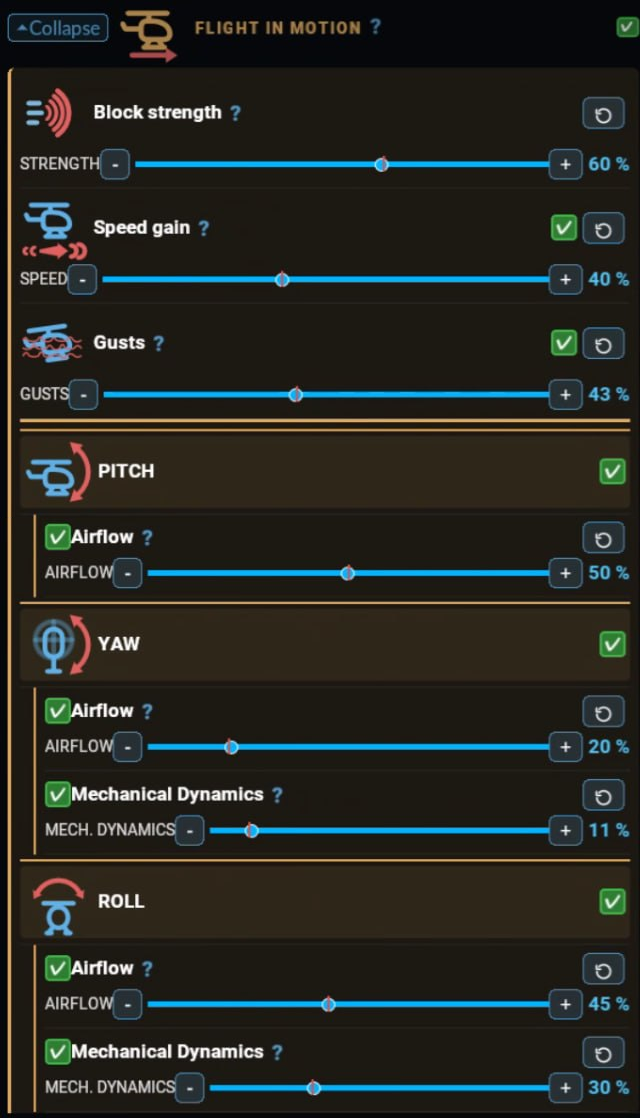
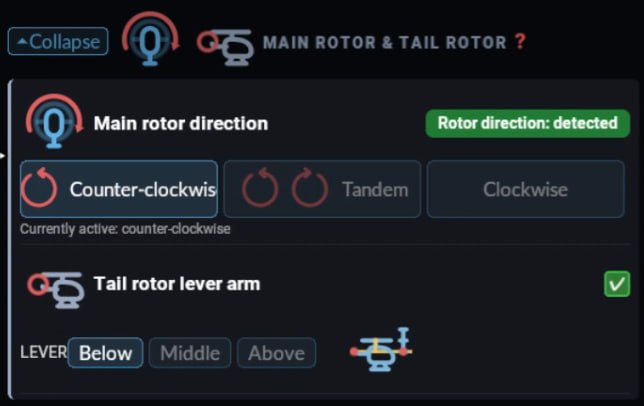
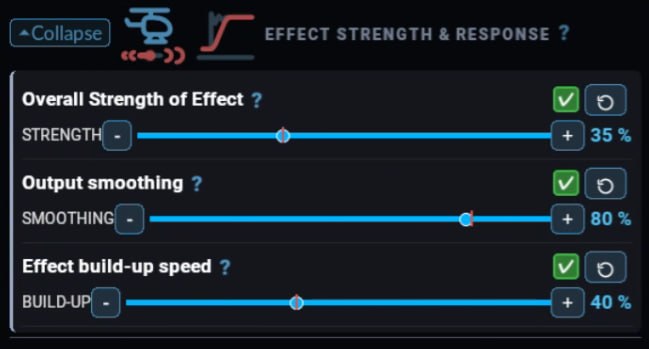
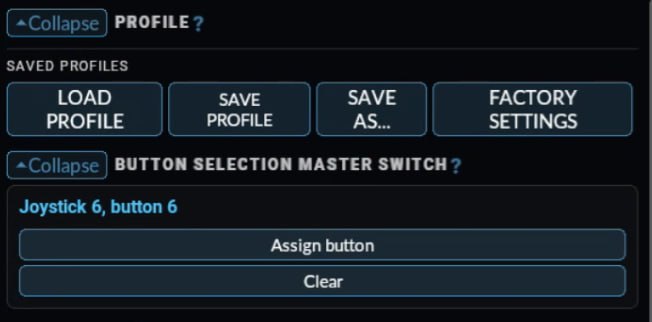
Screenshots of the panel inside the simulator. Everything is set there while the flight continues.
Version 2.2.0 for Microsoft Flight Simulator 2024 – on video across eight helicopter types
Heli Flight Dynamics keeps the flight model of Microsoft Flight Simulator 2024 and adds extra motion in the hover and in forward flight, which can be set separately. In the hover the helicopter drifts slightly and has to be actively held; how much is set in the panel.
Rotor Shadow shows the rotor shadow even when the simulator stops drawing it above a certain rotor speed – matched to the current rotor speed and tilting with the helicopter.
Both mods run as companion programs alongside the simulator and start automatically; everything is set in the panel inside the simulator.
Eight helicopter types, one video each. Every video flies the same circuit twice: first without Heli Flight Dynamics, then with it. Below, the same comparison on the Guimbal Cabri G2 on a split screen.
The Guimbal Cabri G2 once more, this time with both runs at the same time: left without, right with the mod.
Screenshots of the panel inside the simulator. Everything is set there while the flight continues.
Rotor Shadow shows the rotor shadow matched to the current rotor speed and tilting with the helicopter. It can be switched on and off per helicopter type in the panel. Supported types:
Hover and forward flight (“Flight in motion”) are set separately. The “Speed gain” slider strengthens the airflow effects as speed increases, and ground effect is a setting in the Hover section.
The effect strength adapts automatically to the size and weight distribution of each helicopter; tandem-rotor helicopters such as the Chinook are supported. Helicopters without their own factory profile start from a general base profile.
Everything is set in the FWX Control Center panel inside the simulator while the flight continues. Changes take effect at once. Press Save to store them as your own profile per helicopter type; the FWX factory profile stays unchanged.
All sliders use a 0–100 scale. Red marks show your saved value, and every slider has its own reset button.
The help tab “?” contains a step-by-step tutorial with pictures and the full manual. Four text sizes are available, including a large size for VR.
Shows the rotor shadow even when the simulator stops drawing it above a certain rotor speed – matched to the current rotor speed and tilting with the helicopter; for the seven helicopter types listed above, switchable per type.
Everything in one package: The FWX Helicopter All-in-One Bundle combines Heli Flight Dynamics, Rotor Shadow, Rotor Haptic and the EC135 Turbine Sound Enhancement Mod. One installer sets everything up, and all mods start automatically with the simulator. Everything is controlled in one place, the FWX Control Center inside the simulator: each product has its own tab, plus a shared help tab with guide and manual. Install once – adjust everything in one place.
Works with all helicopters, not only the EC135. The strength is set in the panel; the Haptic tab shows the number of rotor blades of the current helicopter.
For the EC135. The audio device is chosen by name in the panel. The video shows sound and rotor shadow on the EC135, first before, then after.
Thank you for taking the time to look at our mods.
If you have any questions or would like more videos, pictures or information, just write to us – we will be glad to get back to you.
Questions about this presentation or about material:
support@fwx-simaviation.com