
Add-ons for Microsoft Flight Simulator
Helicopter add-ons for Microsoft Flight Simulator 2024: Flight Dynamics, Rotor Shadow, Rotor Haptic and EC135 Turbine Sound.
Helicopter add-ons for Microsoft Flight Simulator 2024: Flight Dynamics, Rotor Shadow, Rotor Haptic and EC135 Turbine Sound.
Seven packages, four products. The table shows what each package contains.
| Package | Flight Dynamics | Rotor Shadow | Rotor Haptic | EC135 Turbine Sound | PDF manual |
|---|---|---|---|---|---|
| FWX Helicopter All-in-One Bundle | ✓ | ✓ | ✓ | ✓ | ✓ |
| FWX Heli Flight Dynamics & Rotor Effects | ✓ | ✓ | ✓ | – | ✓ |
| FWX Heli Flight Dynamics & Rotor Shadow | ✓ | ✓ | – | – | ✓ |
| FWX Helicopter Flight Dynamics | ✓ | – | – | – | ✓ |
| FWX EC135 Sound & Haptic Bundle | – | – | ✓ | ✓ | – |
| FWX Helicopter Rotor Shadow Mod | – | ✓ | – | – | – |
| FWX Helicopter Rotor Haptic Mod | – | – | ✓ | – | – |
| FWX EC135 Turbine Sound Enhancement Mod | – | – | – | ✓ | – |
Which package is right for you?
You want everything? → FWX Helicopter All-in-One Bundle
You fly different helicopters? → FWX Heli Flight Dynamics & Rotor Effects
You already own the EC135 Sound & Haptic Bundle? → FWX Heli Flight Dynamics & Rotor Shadow
You mainly fly the EC135? → FWX EC135 Sound & Haptic Bundle
All packages: one installer for Microsoft Flight Simulator 2024 from the Microsoft Store or Steam. Everything is controlled in the FWX Control Center inside the simulator – each product has its own tab, plus a help tab “?” with guide and manual. Rotor Haptic needs a tactile transducer.
Several products in one package, with one installer. Select one to jump to its description.
Flight Dynamics and Rotor Haptic work on every helicopter, Rotor Shadow on seven supported types. Select one to jump to its description.
Made for the EC135 in Microsoft Flight Simulator 2024. Select it to jump to its description.
Includes: Flight Dynamics, Rotor Shadow, Rotor Haptic, EC135 Turbine Sound · PDF manual
Everything in one package: The FWX Helicopter All-in-One Bundle combines Heli Flight Dynamics, Rotor Shadow, Rotor Haptic and the EC135 Turbine Sound Enhancement Mod. One installer sets everything up, and all mods start automatically with the simulator. Everything is controlled in one place, the FWX Control Center inside the simulator: each product has its own tab, plus a shared help tab with guide and manual.
Flight Dynamics and Rotor Haptic work on every helicopter, Rotor Shadow on the seven supported types, and the Turbine Sound on the EC135. The manual is also included as PDF in English and German.
Important when updating: profiles from earlier versions can no longer be used and are removed. Create your own profile again with Save.
Final price. No VAT under §19 UStG (small business). Digital download, no shipping costs.
Includes: Flight Dynamics, Rotor Shadow, Rotor Haptic · PDF manual
Flight Dynamics, Rotor Shadow and Rotor Haptic in one package, with one installer. Everything is controlled in the FWX Control Center inside the simulator, each product with its own tab.
Flight Dynamics and Rotor Haptic work on every helicopter, Rotor Shadow on the seven supported types. The manual is also included as PDF in English and German.
Important when updating: profiles from earlier versions can no longer be used and are removed. Create your own profile again with Save.
Final price. No VAT under §19 UStG (small business). Digital download, no shipping costs.
Includes: Flight Dynamics, Rotor Shadow · PDF manual
Flight Dynamics and Rotor Shadow in one package, with one installer. Everything is controlled in the FWX Control Center inside the simulator, each product with its own tab.
Flight Dynamics works on every helicopter, Rotor Shadow on the seven supported types. The manual is also included as PDF in English and German.
Upgrade: Already own the FWX EC135 Sound & Haptic Bundle? This package adds Flight Dynamics and Rotor Shadow.
Important when updating: profiles from earlier versions can no longer be used and are removed. Create your own profile again with Save.
Final price. No VAT under §19 UStG (small business). Digital download, no shipping costs.
Includes: EC135 Turbine Sound, Rotor Haptic
EC135 Turbine Sound and Rotor Haptic in one package, with one installer. Everything is controlled in the FWX Control Center inside the simulator, each product with its own tab.
You hear the recorded turbine of the EC135 and feel every blade pass. Rotor Haptic works on every helicopter and needs a tactile transducer, for example on your seat; the Turbine Sound works on the EC135.
Final price. No VAT under §19 UStG (small business). Digital download, no shipping costs.
Includes: Flight Dynamics · PDF manual
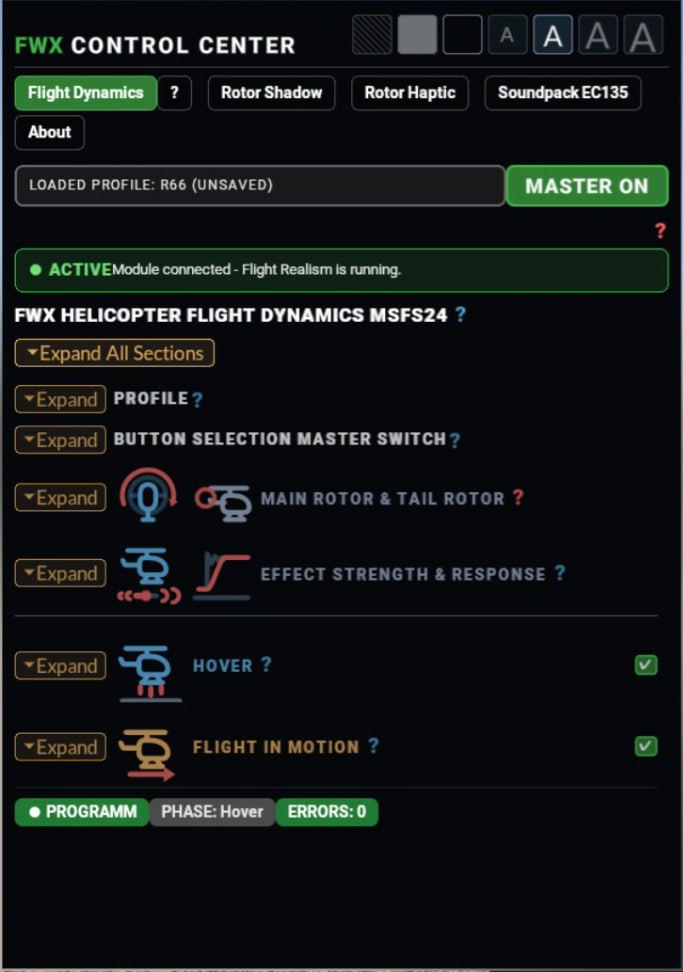
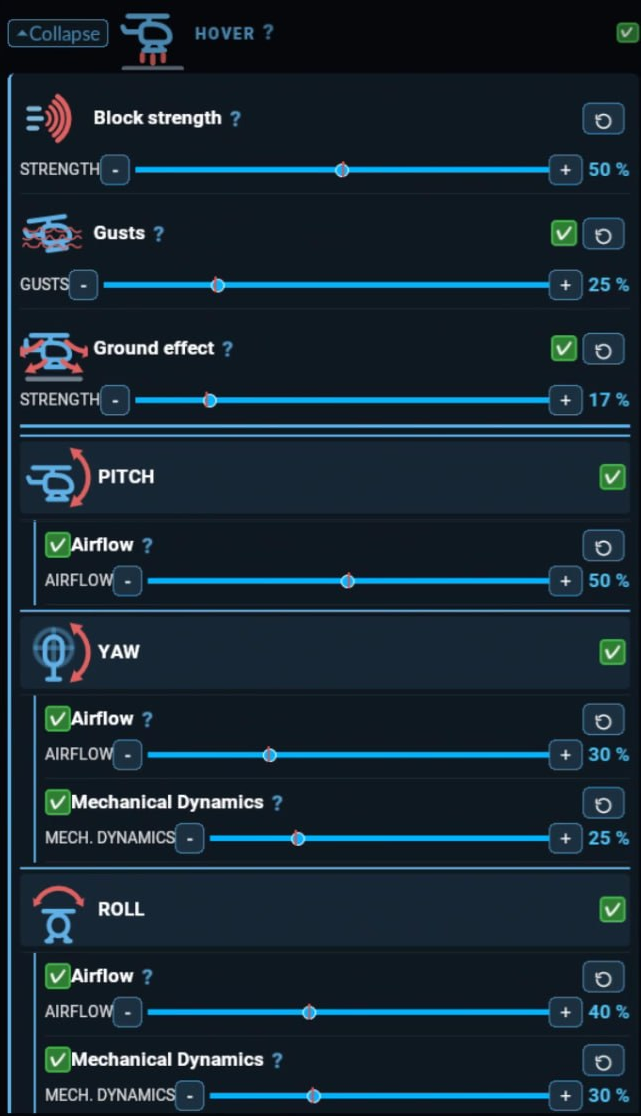
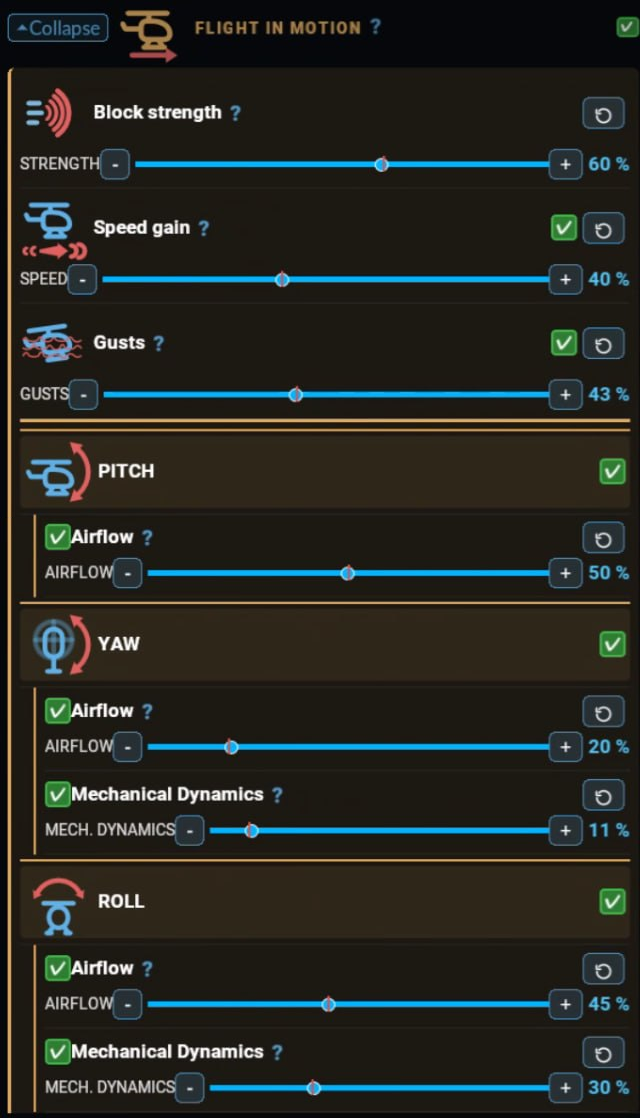
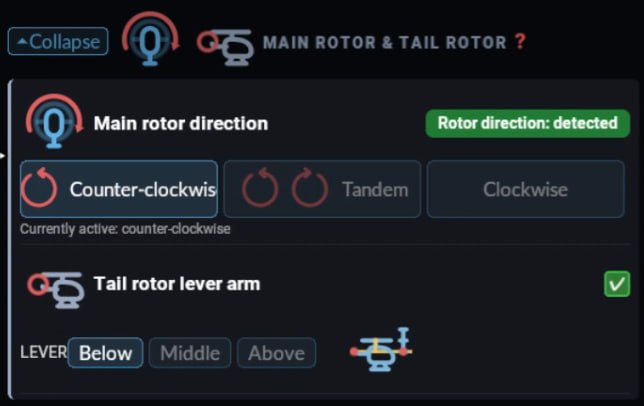
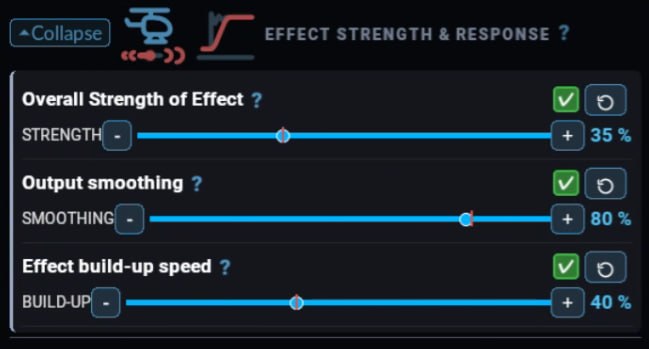
Heli Flight Dynamics keeps the flight model of Microsoft Flight Simulator 2024 and adds extra motion in the hover and in forward flight, which can be set separately. In the hover the helicopter drifts slightly and has to be actively held; how much is set in the FWX Control Center.
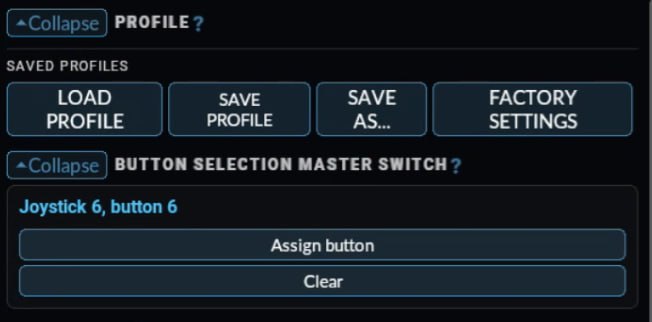
Factory profiles for nine helicopter types: Cabri, R66, EC135, H125, H225, Bell 407, UH-1H, CH-47D and S-64F; other helicopters start from a general base profile. The effect strength adapts to the size and weight distribution of each helicopter. Press Save to create your own profile per helicopter; the factory profile stays unchanged. The manual is also included as PDF in English and German.
Important when updating: profiles from earlier versions can no longer be used and are removed. Create your own profile again with Save.
Every video flies the same circuit twice: first without, then with Flight Dynamics. The last video shows the Guimbal Cabri G2 on a split screen.
All Flight Dynamics videos as a YouTube playlist
Final price. No VAT under §19 UStG (small business). Digital download, no shipping costs.
Includes: Rotor Shadow
On seven types the simulator stops drawing the rotor shadow above a certain rotor speed. Rotor Shadow brings it back – matched to the current rotor speed and tilting with the helicopter.
Supported types: Airbus EC135, Airbus H125, Airbus H225, Guimbal Cabri G2, Robinson R66, Sikorsky S-64 Skycrane, Boeing CH-47D Chinook.
Main and tail rotor each cast their own shadow; each of the seven types is tuned individually. In the FWX Control Center the shadow can be switched on and off per helicopter type.
All Rotor Shadow videos as a YouTube playlist
Final price. No VAT under §19 UStG (small business). Digital download, no shipping costs.
Includes: Rotor Haptic
Rotor Haptic passes on every single blade pass as vibration, and every type has its own rhythm. During start-up the beats are slow enough to count; at full rotor speed they merge into a deep, even bass. Spool-up, hover and hard manoeuvres feel different, so you can feel what the helicopter is doing.
Rotor Haptic works on every helicopter in the simulator. You set the strength in the FWX Control Center; the Haptic tab shows the number of rotor blades of the current helicopter. To feel it, you need a tactile transducer, for example on your seat.
There is no video for the haptics: they are felt, not seen.
Final price. No VAT under §19 UStG (small business). Digital download, no shipping costs.
Includes: EC135 Turbine Sound
This mod completely replaces the sounds of the EC135 in Microsoft Flight Simulator 2024, inside and out, with recorded turbine sounds. In the cockpit every phase of flight has its own sound: cold start, spool-up, idle, flight and shutdown. From outside you hear the whine of the two turbines.
The mod works only on the EC135; every other aircraft sounds exactly as before. You choose the audio device by name in the FWX Control Center.
All Turbine Sound videos as a YouTube playlist
Final price. No VAT under §19 UStG (small business). Digital download, no shipping costs.